


Kahoot! Big Numbers: DragonBox
3.734.00 Reviews
App Specs
- Version
- 1.14.1
- Updated On
- License
- Free
- Downloads
- 100,000+
- Developer
- Kahoot!
- Categories
- Educational
- Platform
- Android
Screenshots
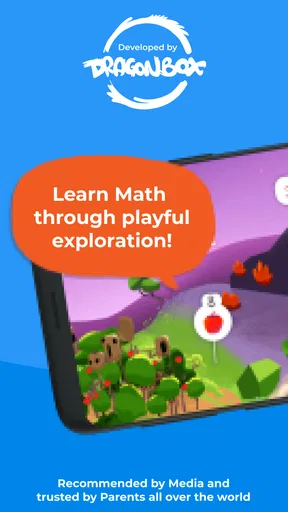
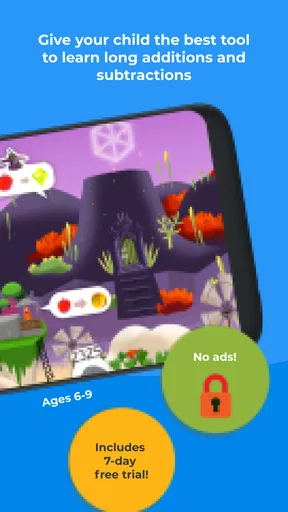






 Analysis by AppCompare
Hey there, fellow app enthusiasts! If you’re on the hunt for an engaging educational app that’s sure to spark the interest of kids (and maybe even adults), you might want to check out Kahoot! Big Numbers: DragonBox. I dove into this app to see what all the fuss was about, and let me tell you, it’s quite the adventure.
My first impression is that this game asks children to approach math through a playful setting rather than a worksheet-style screen. That matters when a child is willing to try a puzzle but already groans at the thought of another page of sums. The colorful presentation gives the activity a welcoming feel, while the mathematical work remains the point: players are there to engage with numbers, not simply watch a story unfold.
It is an educational game from Kahoot!, and its focus on long addition and subtraction gives it a more specific role than a broad collection of school subjects. I would think of it as a focused practice option for a child who is ready to spend time with larger calculations, rather than as a complete math course. The game is free to download, rated for Everyone, and has optional in-app purchases priced from $5.99 to $35.99 per item. That makes it sensible to check the purchase options before handing over a device, especially if a child can use its store controls.
A playful setting with a purpose
Alright, let’s kick things off by talking about what Kahoot! Big Numbers: DragonBox is all about. This app is designed to make math fun and accessible for children, specifically targeting those aged 6-9. It cleverly incorporates math into a game format, where kids can embark on a journey with cute characters and vibrant visuals. The aim? To teach them how to tackle big numbers and basic math operations in a way that's anything but boring.
The fantasy framing is useful when a child needs a reason to return to a task that takes concentration. A parent can make a short session feel like a small game break after school, then ask the child to explain one calculation they found tricky. That simple follow-up turns screen time into a chance to hear how the learner is thinking, rather than relying only on whether they reached the next part of the game.
There is a trade-off, though. A child who prefers direct, plain instruction may find a game setting less efficient than a workbook or a teacher demonstrating a method. And a learner who is still getting comfortable with basic number facts may need an adult nearby to connect the game’s activity with the written arithmetic they see in class. I would not assume that an engaging presentation automatically replaces explanation or practice on paper.
What’s the Buzz About?
For a family deciding whether to try it, the key question is not simply whether the game is fun; it is whether its particular kind of math practice fits the child’s current needs. A good match is a learner who can already work with smaller sums and is ready to build confidence with larger ones. If the child needs help with a specific classroom method, I would use the game alongside that method, not as a substitute for it.
Worth Reading Before You Choose

EA SPORTS FC Mobile 26 Is a Bigger Football Game, but It Takes Time

Flipboard Shows What News Apps Must Do Beyond the Feed

Switching to Android Auto Means Rethinking Your Driving Routine

Google Calendar Makes a Crowded Week Easier to Manage

Ludo King Makes the Most of the Minutes Between Plans

Baby Panda World Brings Quick Play to Modern Phones, but Its Game Library Feels Busy
One practical way to use it is to keep sessions short and purposeful. For example, after homework, a child could play for a little while and then talk through one moment where they had to pause and think. If they breeze through everything, the activity may be useful as a confidence-building warm-up; if they get stuck, that is a cue to slow down and discuss the arithmetic instead of encouraging them to tap onward. The adult’s role is not to hover over every move, but to notice whether the game is supporting understanding or merely keeping the child occupied.
Compared with a conventional arithmetic worksheet, the game has the advantage of a more inviting setting and a reason to persist through successive challenges. A worksheet, however, is often better when a teacher or parent wants to see the child’s written working and identify exactly where a calculation went wrong. Compared with a broad learning app that covers many subjects, this one is easier to place in a routine focused on larger-number arithmetic, but it is naturally narrower. I would choose according to the job at hand: use this for an engaging math-focused session, and choose a paper exercise or direct instruction when careful written practice is the priority.
The game has an average rating of 3.7 from 695 ratings, with 34 written reviews and over 100,000 installs. Those figures suggest that families have tried it, but they do not tell me whether it will suit a particular child. I would give more weight to whether the child enjoys this style of challenge, can navigate it comfortably, and is working on the kind of arithmetic the game emphasizes.
Gameplay and Features
So, what can you expect when you dive into this app? Well, for starters, the game is set in a charming world where kids help a character named Max, a dragon, to build a city. This is done by solving math problems that gradually increase in difficulty. The app covers a range of topics including addition, subtraction, multiplication, and division.
That wider description of the activities should be balanced against the central emphasis on long addition and subtraction. I would not pick it expecting equal depth across every arithmetic topic. For a child practising those longer calculations, the steady game context can make repetition feel less like drill. For a child specifically needing multiplication or division practice, another resource designed around those skills may be a better fit.
- Interactive Learning: The app is super interactive, which I found really helps keep kids engaged. They’re not just passively watching numbers fly by—they’re actively participating in the learning process.
- Progressive Challenges: The challenges start simple but gradually get more complex. This ensures that kids are constantly learning and being challenged without feeling overwhelmed.
- Adaptive Difficulty: One of the standout features is the adaptive difficulty. The app adjusts the difficulty level based on the child's performance, which is a fantastic way to tailor the learning experience to each individual.
For parents, the useful question is how to respond when the challenge changes. If a child is doing well, resist turning the session into a speed test; ask them to describe the choice they made or the step that helped. If the game becomes frustrating, taking a break is more productive than pushing through simply to finish a stage. The point of a learning game is not to keep a child at the screen for as long as possible, but to make a bit of meaningful practice easier to start.
Visuals and Sound
Visually, the app is a treat. The graphics are colorful and vibrant, with a cartoonish style that’s sure to appeal to young learners. The animations are smooth, which adds a layer of polish to the overall experience. The sound effects and background music are cheerful and engaging, without being too distracting or repetitive.
The visual style and cheerful audio give the arithmetic a lighter mood, which is a real advantage for a child who associates sums with pressure. At the same time, I would keep the device’s volume and surroundings in mind. A child working in a shared room may prefer a quieter setup, and a child who is easily distracted by sound might focus better with the audio turned down. The important test is whether the presentation helps them stay with the calculation, rather than drawing their attention away from it.
That is also why the setting works best as a frame around the learning, not as the whole reason to play. The dragon and city give the activity a sense of place, but the lasting value depends on the child actually engaging with the number work. If they only want to tap through for the next visual moment, I would sit alongside them and bring the conversation back to the sums.
The Learning Curve
Now, let’s talk about how easy it is to get started. The app is intuitive and user-friendly, so kids can jump in pretty much straight away. The tutorials are clear and concise, providing just enough guidance without holding kids' hands too much. This balance is crucial because it encourages independent learning while still providing support when needed.
Although the entry feels approachable, children do not all need the same kind of support. A confident reader may be ready to explore independently, while a younger child or one unfamiliar with the device may need an adult to help at the beginning. I would introduce it when there is time to sit together for the first few minutes, then let the child take over if they understand what the game is asking. That makes it easier to tell whether confusion comes from the math or from the interface.
It also helps to connect play with a small real-world check. After a session, ask the child to solve a similar sum aloud or on paper without turning it into a test. If they can explain their approach, the game has given them something to carry beyond the screen. If they cannot, that does not mean the session was wasted; it signals that they may need a clearer demonstration or more deliberate practice before moving on.
Why It Stands Out
What really makes Kahoot! Big Numbers: DragonBox stand out from other educational apps is its ability to make learning feel like play. It transforms mundane math problems into exciting challenges and adventures. The incorporation of storytelling and game mechanics means that kids are learning without even realizing it. They’re motivated to progress not just for the sake of learning, but because they’re genuinely invested in the game’s outcome.
I would recommend it most to families who want a child to approach larger addition and subtraction with less resistance, and to adults looking for a playful complement to schoolwork. It is less suitable for someone seeking a broad curriculum, a quiet digital worksheet, or a tool that makes a child’s written reasoning easy to inspect. Those are not flaws so much as differences in purpose: the game aims to make practice inviting, while a workbook or one-to-one explanation may be better for diagnosing a precise mistake.
Before starting, I would check that the device can run it: the current version is 1.12.12 and it requires Android 8.0 or later. I would also make the purchase situation clear to a child before they play, since optional in-app purchases are available. Because the download itself is free, a parent can try the basic experience and judge whether the style suits the child before deciding whether any paid option is worth considering.
Another useful trade-off is pacing. Game progression can encourage a child to keep going, but a longer session is not automatically a better learning session. I would set a natural stopping point before play begins, especially on a school night, and end with a quick conversation about one calculation rather than leaving the child to chase progress indefinitely. That routine keeps the game in the role of a focused learning activity instead of letting its rewards dictate the evening.
Final Thoughts
In conclusion, if you’re looking for an app that combines fun and education seamlessly, Kahoot! Big Numbers: DragonBox is definitely worth a download. It’s a great tool for parents and teachers looking to supplement traditional learning methods with a bit of digital magic. The app not only helps kids develop their math skills but also boosts their confidence in handling big numbers.
My recommendation comes with a clear boundary: treat it as a motivating way to practise, not as a promise that a child will master arithmetic without guidance. A child who likes playful challenges and is ready for this kind of number work may find it a welcome change from worksheets. A child who needs a teacher’s step-by-step explanation, or who is practising another topic, may get more from a different resource or a conversation at the kitchen table.
So, whether you’re a parent, teacher, or just someone curious about innovative educational tools, give this app a whirl. Who knows? You might end up enjoying it as much as the kids do!
Pros
- Engaging educational content for kids.
- Visually appealing and interactive design.
- Improves math skills through fun activities.
- Suitable for a wide age range.
- No ads to interrupt learning experience.
Cons
- Limited free content; in-app purchases needed.
- Requires internet for some features.
- May be too simple for advanced learners.
- Limited customization options.
- Occasional minor bugs and glitches.
FAQs for Kahoot! Big Numbers: DragonBox
What is Kahoot! Big Numbers: DragonBox?
Kahoot! Big Numbers: DragonBox is an educational app designed to make learning math fun and interactive for children. It focuses on teaching kids essential math skills such as addition, subtraction, and understanding large numbers through engaging gameplay and colorful graphics.
Is the app suitable for all age groups?
Kahoot! Big Numbers: DragonBox is primarily aimed at children aged 6 to 9 years old. However, its intuitive design and engaging content make it accessible to a wider audience, including younger kids with parental guidance and older children who may need a refresher on basic math concepts.
Does the app require an internet connection to function?
The app can be used offline, allowing children to learn and play without needing an internet connection. This feature is particularly useful for parents who want to limit screen time or ensure their children can use the app while traveling or in areas with limited connectivity.
Are there any in-app purchases or ads to be aware of?
Kahoot! Big Numbers: DragonBox offers a one-time purchase model, meaning there are no in-app purchases or ads disrupting the learning experience. This provides a distraction-free environment for children to focus on their math skills without unexpected costs or interruptions.
How does the app support learning and engagement?
The app incorporates a variety of interactive elements to maintain engagement, such as puzzles, challenges, and rewards. Its game-based approach helps children develop math skills through play, encouraging active learning and making abstract concepts more tangible and enjoyable.


